Kenmore Dryer Troubleshooting
Kenmore dryer troubleshooting guide: check your model prefix, then fix no-start and no-heat faults. Start with the vent before you test parts.
Need appliance repair? Call now for same-day service.
Call +1 (888) 206-0056Kenmore dryers carry a familiar name. But Kenmore never built a dryer. Whirlpool built most of them. A few came from LG. Kenmore dryer troubleshooting gets much easier once you know who built yours. This guide shows how to find out, then walks through the most common no-start and no-heat faults.
Kenmore Dryer Troubleshooting Starts With the Model Prefix
Open the dryer door and look at the door frame. The model number tag sits there on most Kenmore dryers. Some tags hide inside the door or on the back panel. Copy the full model number.
Check the first three digits. Models starting with 110 came from Whirlpool. These are the most common. They share parts with Whirlpool, Roper, and Estate dryers. Nearly every Whirlpool dryer guide applies to them.
Models starting with 796 came from LG. These are usually newer and more electronic. They use LG parts and LG designs. Treat them as LG dryers with a Kenmore badge.
The prefix matters because parts do not cross over. A heating element for a 110 model will not fit a 796 model. Error codes differ too. Get the prefix right before you spend money.
Check the Vent Before Anything Else
A clogged vent causes half of all dryer faults. It traps heat inside the cabinet. That heat blows the thermal fuse. No heat, no start, and long dry times all trace back to the vent.
Pull the dryer out and disconnect the vent hose. Look inside for lint clogs. Check the outside vent cap for blockages. Birds nest in vent caps. Lint mats the screen shut.
Run the dryer with the vent disconnected for one test cycle. If heat returns, the vent was the problem. Clean the full vent path before you reconnect. Our dryer vent cleaning and fire safety guide shows the complete process.
Never skip this step. Replacing parts without cleaning the vent burns out the new parts too. Technicians check the vent first on every call.
Kenmore Dryer Will Not Start
Check power first. Electric dryers need 240 volts from a double breaker. A tripped half-breaker can kill the start circuit while the drum light still works. Flip the breaker fully off and back on.
Test the door switch. Push the door firmly and listen for a click. The dryer will not run with the door circuit open. Press the switch by hand with the door open. You should hear and feel a crisp click. A silent or mushy switch has failed.
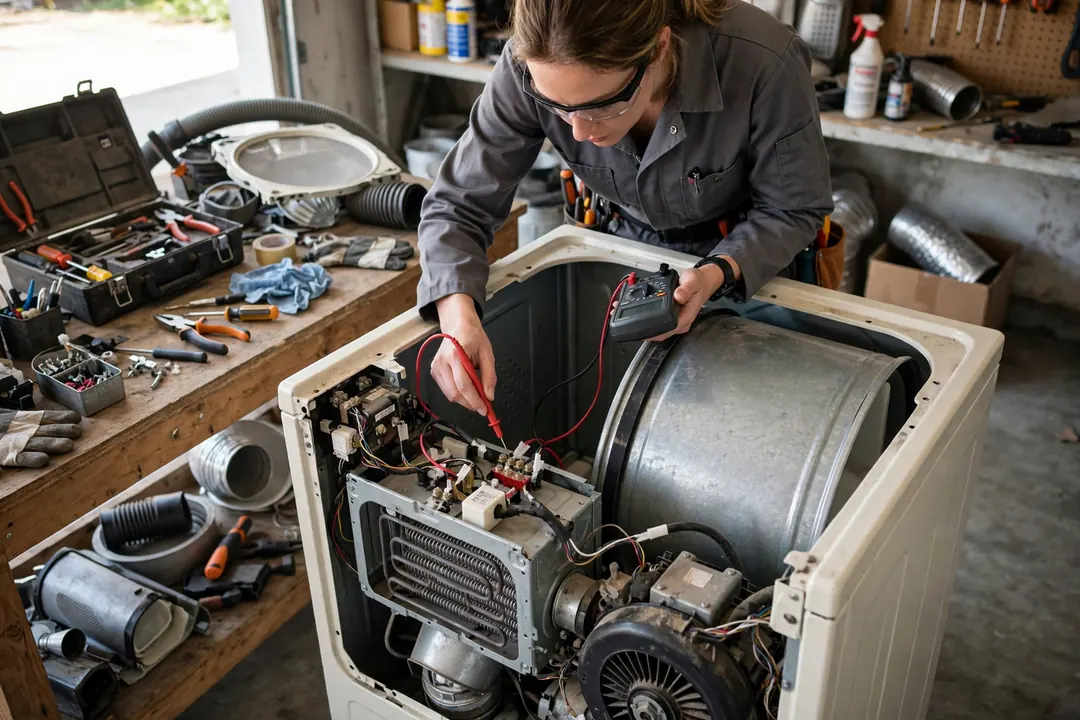
Check the thermal fuse. It sits on the blower housing or the heater box. A blown fuse cuts power to the motor circuit on most 110 models. Test it with a multimeter set to continuity. No beep means replacement. Always clean the vent when you replace a fuse.
Test the start switch. Press it and listen. A good switch clicks firmly. A worn switch feels soft or does nothing. Start switches are cheap and swap in fast.
If all of these test good, the motor or control board is suspect. Motors hum when they try to start but cannot turn. Boards fail less often. A technician can test both.
Our how to fix a dryer guide covers the no-start sequence in more detail across all brands.
Kenmore Dryer Runs but Will Not Heat
Confirm the vent is clean first. Then work through the heating circuit in order. On 110 Whirlpool-platform models, the chain runs: thermal fuse, high-limit thermostat, heating element, timer or board.
Test the thermal fuse and the high-limit thermostat for continuity. Both are one-shot safety parts. They never reset. Replace any that test open. These two parts cause most no-heat calls.
Test the heating element next. Unplug the dryer and disconnect the element wires. Check continuity across the element terminals. No continuity means a broken coil. Also check each terminal to the metal housing. Any continuity there means the element shorted to ground. Replace it.
On gas 110 models, watch the igniter. Start the dryer and look through the peep hole or the front panel gap. The igniter should glow bright orange. No glow means a failed igniter or a blown thermal fuse. A glowing igniter with no flame points to the gas valve coils.
For 796 LG-platform models, the control board manages heat more actively. Check the vent, then the thermostats, then the element. Board faults are possible but less common than part failures.
Our dryer not heating guide walks through every test with part locations.
Humming but Not Turning
A humming dryer with a still drum has a drive problem. Open the door and spin the drum by hand. Free spinning with no resistance means the belt snapped. Stiff or stuck means a seized roller or motor.
Belt replacement is a common DIY job. The belt costs little and the job takes under an hour. Our dryer drive belt replacement guide shows the idler pulley routing step by step.
If the drum will not turn by hand at all, unplug the dryer and check the rollers. A seized roller locks the drum. Rollers are cheap. Replace them in sets.
Error Codes by Maker
Whirlpool-built (110) Kenmore dryers show simple codes or blink patterns. Newer electronic models display F-codes. Common ones include F01 for board failure and F28 for moisture sensor faults. The tech sheet inside the dryer lists them. Check behind the control panel or inside the top for the folded sheet.
LG-built (796) models show LG codes. These follow LG dryer conventions. Look up the code with the LG maker in mind, not the Kenmore name.
Older 110 models with mechanical timers show no codes at all. Diagnosis runs on symptoms and meter tests. The guides linked above cover that approach.
Maintenance That Prevents Most Faults
Clean the lint filter every load. It takes five seconds. A clean filter keeps heat and airflow where they belong.
Clean the vent once a year. More often if you have pets or a long vent run. A clean vent is the single best dryer maintenance you can do.
Wipe the moisture sensor bars inside the drum twice a year. Dryer sheets coat them with wax. A coated sensor misreads dryness and shuts off heat early. Rubbing alcohol on a cloth cleans them.
Do not overload. Heavy loads strain the belt, the motor, and the rollers. Fill the drum three-quarters full at most.
When to Call a Professional
Call a technician when the motor or control board is suspect. Motor replacement involves wiring and mounting. Board diagnosis needs a meter and wiring diagrams. Both are pro jobs.
Call also when the dryer is a 796 LG-platform model with electronic faults. These machines pack parts tightly and test in specific sequences. Wrong tests damage boards.
Stop using a dryer that smells like burning or trips the breaker. Those are safety issues. Unplug it and call for service.
Our dryer repair hub covers every common dryer problem across all brands.
Call us at +1 (888) 206-0056 for Kenmore dryer help in any of our service locations. Tell us your model prefix when you call so we bring the right parts.
Frequently Asked Questions
Who makes Kenmore dryers?
Kenmore is a store brand. Whirlpool built most Kenmore dryers, and you can spot them by the 110 model prefix. Some came from LG with a 796 prefix. Parts, wiring, and error codes follow the real maker. Check the first three digits of your model number before ordering parts.
Why won't my Kenmore dryer start?
Check the breaker and outlet first. Electric dryers need 240 volts. Then test the door switch: push the door firmly and listen for a click. A blown thermal fuse also kills the start circuit. The start switch itself fails often. Test these in order before suspecting the control board.
Why is my Kenmore dryer not heating?
Clean the vent first. A clogged vent blows the thermal fuse and kills the heat. Next, test the heating element on electric models or the igniter on gas models. The high-limit thermostat and thermal cutoff are also common failures. Test each part with a multimeter.
How do I reset my Kenmore dryer?
Unplug the dryer for one minute, then plug it back in. This clears electronic glitches. For a tripped thermal fuse or cutoff, there is no reset: the part must be replaced. If the dryer keeps tripping safety parts, the vent is clogged. Clean it before replacing anything.
What does it mean when my Kenmore dryer hums but won't start?
A humming dryer with a still drum usually means a broken belt or a seized motor. Open the door and try to turn the drum by hand. If it spins freely, the belt snapped. If it will not budge, the motor or a roller seized. Unplug the dryer before you investigate.
How long do Kenmore dryers last?
Most last 10 to 13 years with basic care. Clean the lint filter every load and the vent yearly. Cheap parts like fuses, belts, and thermostats are worth replacing at any age. Consider replacement when the motor or control board fails on a dryer past ten years.
Broken appliance? We're one call away.
Same-day appliance repair across 40 cities. Upfront pricing, written warranty, and an honest repair-or-replace answer on every job.
Call +1 (888) 206-0056